
Order Status shows where your purchase orders stand with a supplier: the status of each order, any hold, and the expected ship and delivery dates, straight from the supplier's PromoStandards Order Status service.
It's called Orders under Operations in the dashboard menu, and the page is Order Status
(/dashboard/order-status/). You need the Business plan or higher. The
Operations section shows for users with the Admin, Developer, or Operations role.
Before you start
Order Status needs your own login with each supplier. The Supplier list only shows suppliers you've added your own production credentials for, and that offer the Order Status service. If a supplier is missing, add your credentials for it first (how, and why it has to be your own).
Look up your open orders
- Open Orders under Operations in the dashboard menu.
- Choose the Supplier.
- Leave Query type on All Open Orders.
-
Click Search Orders.
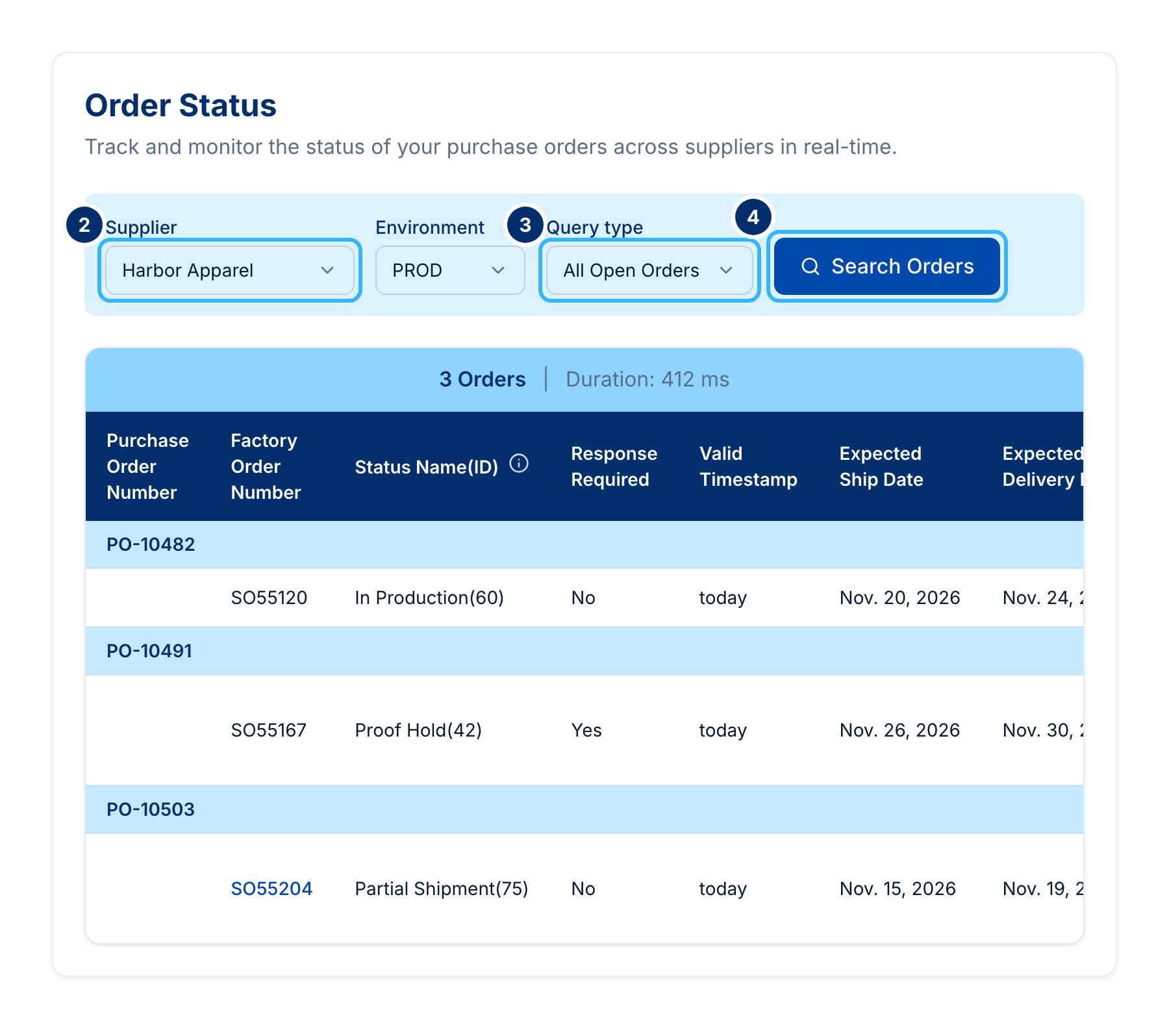 Made-up orders and supplier. Your screen shows your own.
You get every order the supplier still has open, which means any status other than Complete or Canceled. Each row shows the purchase order number, the supplier's factory order number, the status name and ID, the expected ship and delivery dates, and who to contact when a response is required.
To look up one order, set Query type to Purchase Order or Sales Order, then type the number in the PO Number or SO Number box that appears. To see what changed lately, choose Last Updated and pick a Status Timestamp, from Today back to 7 days ago.
From an order to its tracking
When an order shows Partial Shipment or Complete, its factory order number becomes a link. It opens Shipment Tracking in a new tab, already searched for that sales order, with the tracking numbers.
The page calls
GET /v1.0.0/suppliers/{supplier_code}/order-status-details/ with query_type (ALL_OPEN_SEARCH,
PO_SEARCH, SO_SEARCH, or LAST_UPDATE_SEARCH) and reference_number or status_timestamp. The
statuses with tracking are 75 (Partial Shipment) and 80 (Complete). See
https://docs.psrestful.com/guides/order-status/how-to-get-order-status-details.
What to try next
- Find tracking numbers and package details in Shipment Tracking.
- Give a teammate the Operations role so they can check orders too (adding users).