Media Content Quality
Find Broken Links in
PromoStandards Media Content
Scan the links to a supplier's product images, videos and documents. We email you a CSV of the ones that don't work.
Why broken media links matter
Product pictures do a lot of the selling. A product page with a broken image looks abandoned, and a missing spec sheet means another email to the supplier.
A supplier can publish thousands of products, each with several images, videos and documents. Files get moved and links stop working, and nobody tells you. Checking them by hand isn't realistic.
How it works
PSRESTful reads the supplier's PromoStandards Media Content service and checks every media URL it lists. A link counts as broken when it doesn't answer with 200 OK within 10 seconds.
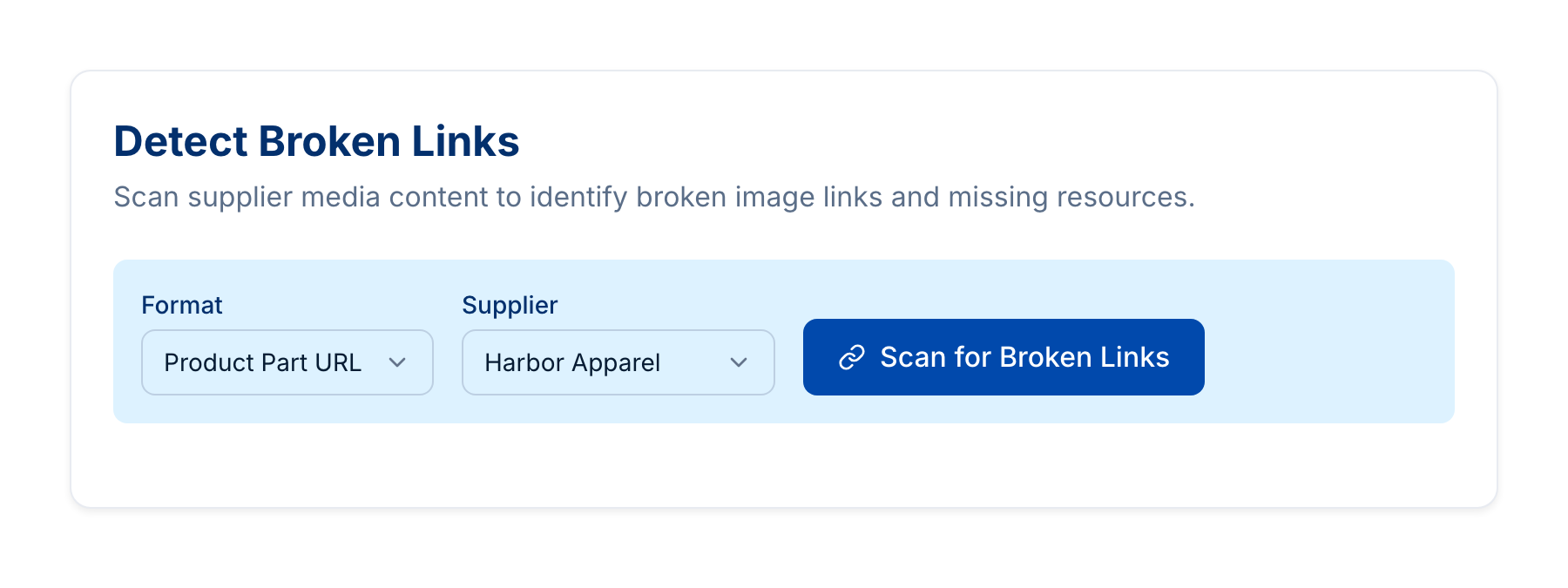
Choose the format
Pick URLs Only for a plain list or Product Part URL to see which product and part each link belongs to.
Choose the supplier
The list shows the suppliers whose media you can scan.
Get the CSV by email
Click Scan for Broken Links. The scan runs in the background, so you can keep working; we email you the CSV when it's done.
Two CSV formats
URLs Only
One broken URL per row. Handy when you only need to send the list to the supplier.
https://cdn.supplier.com/img/404.jpg
https://cdn.supplier.com/doc/missing.pdf
Product Part URL
The product ID and part ID next to each broken URL, so you know which products are affected.
PROD-100, PT-A, https://cdn.supplier.com/img/404.jpg
PROD-200, PT-B, https://cdn.supplier.com/doc/missing.pdf
Who uses it?
Distributors
Check a supplier's media before adding their products to your catalog, so you don't publish listings with missing pictures.
Suppliers
Find and fix broken media URLs in your PromoStandards feed before distributors report them.
E-commerce teams
Scan a supplier before importing their catalog into your store, and again from time to time, to keep broken images off live product pages.
QA and data teams
Add a scan to your data checks, and keep each CSV to compare with the next one.
Find the broken pictures before your customers do
Checking thousands of media URLs by hand isn't realistic. A scan checks every image, video and document link a supplier publishes and emails you the ones that don't work.
The whole supplier
Every media URL in the supplier's Media Content: images, videos and documents.
A CSV by email
With the product and part for each link, if you want them.
Premium plan
Included in Premium and the plans above it, and in the 14-day free trial.
Broken link scans are part of the Premium plan and the 14-day free trial.
Frequently asked questions
What types of media links does the tool check?
Every URL the supplier's PromoStandards Media Content service lists for its products: images, videos, spec sheets and other documents.
How long does a scan take?
It depends on how many products and media URLs the supplier has, so a big catalog takes longer. You don't have to wait on the page: the CSV arrives by email when the scan is done.
Which plan includes broken link detection?
Premium and the plans above it, and the 14-day free trial. Visit our pricing page to see plan details and start a free trial.
Which suppliers can I scan?
Suppliers you can reach through PSRESTful's shared credentials, and suppliers you've added your own credentials for. A supplier that shares media only with accounts that have their own credentials appears once you've added yours.
Can I schedule automated scans?
Not yet. Scans run when you start them from your dashboard. If you need a scan on a schedule, contact us and tell us how often.
Ready to modernize your
supplier integrations?
Join distributors already using PSRESTful to automate their PromoStandards workflows.