Stock Check
Supplier stock by warehouse, size and color, for every supplier you can query, from one search.
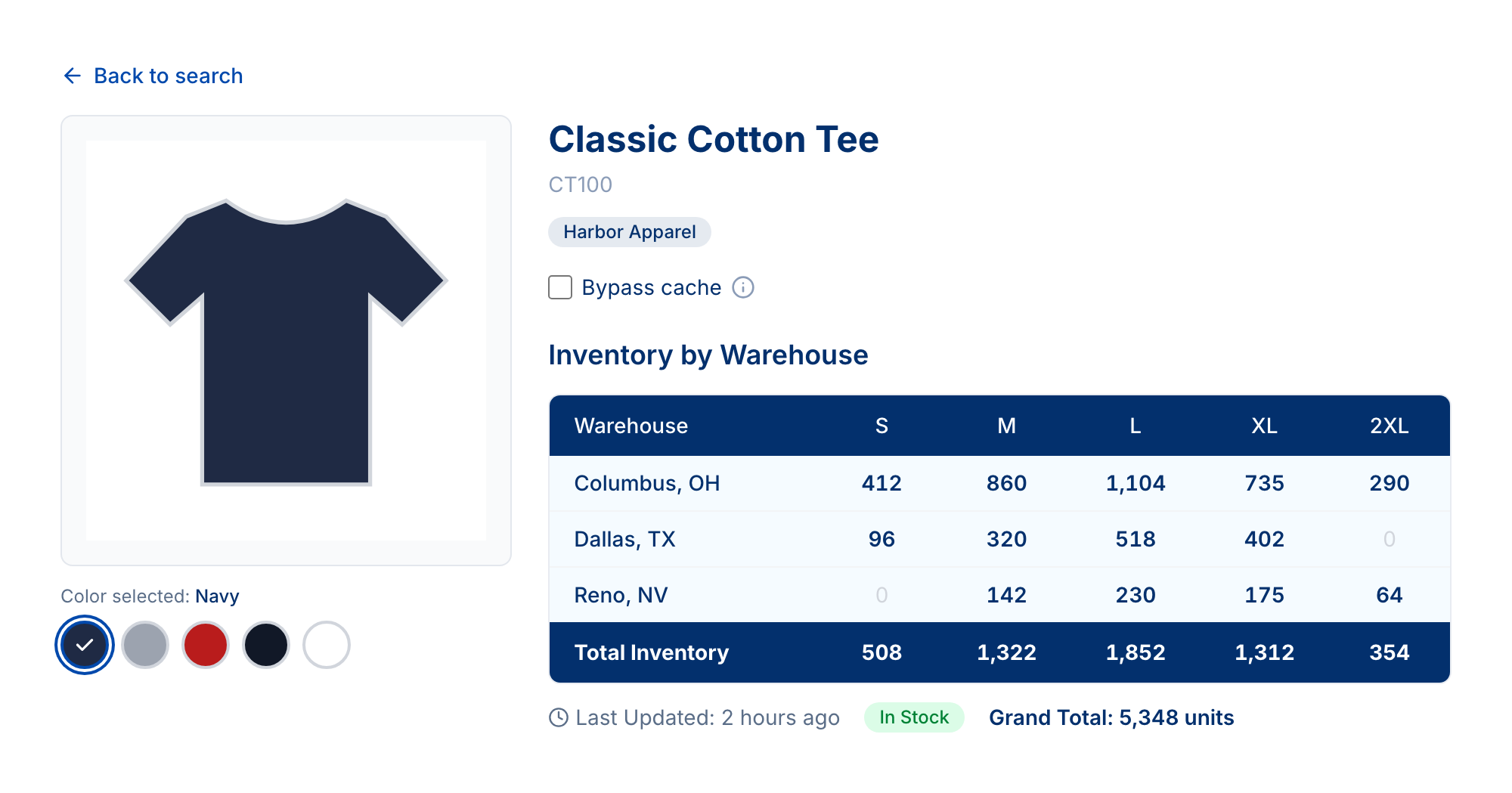
Stock Check shows a supplier's inventory for a product, by warehouse, size and color, from the supplier's PromoStandards Inventory service. You don't have to call the supplier or log into their portal to answer "do they have it?".
Search once across every supplier with an Inventory service that your account can query. When several suppliers carry the same product, you can compare their stock side by side. Each grid says when the supplier last updated the numbers.
Why distributors need Stock Check
Answer "Is it in stock?" while the customer waits
Customer support and sales reps can check a supplier's stock without calling the supplier or logging into their portal.
Warehouse-level visibility
See which warehouses have stock and how much. Pick the closest one, or find the warehouse that can fill a large order on its own.
Size and color breakdown
Check each size and color before promising delivery, so you don't sell XLs that are out of stock while the mediums sit in the warehouse.
Several suppliers, one search
Search every supplier you can query at once, or pick one. A product several suppliers carry gets Compare Inventory, which shows their stock side by side. Some suppliers, SanMar among them, share inventory only with accounts that have added their own credentials for them; until you do, they're left out of Stock Check.
Bypass the cache when it matters
We keep a supplier's inventory answer for about 4 hours so repeat checks are fast. When a big order depends on it, tick Bypass cache to ask the supplier again.
Open to your whole team
Customer support users on your account can use Stock Check too, so they can answer a stock question during the call instead of promising a callback.
How it works
-
1
Search for a product
Type a product name, SKU or keyword. The supplier is optional: leave it on All suppliers to search every supplier you can query, or pick one. Tick Search by GTIN only to look up a barcode.
-
2
Open a result
Each result shows the suppliers that carry it, its colors and its size range. Click View Inventory, or Compare Inventory when more than one supplier carries it.
-
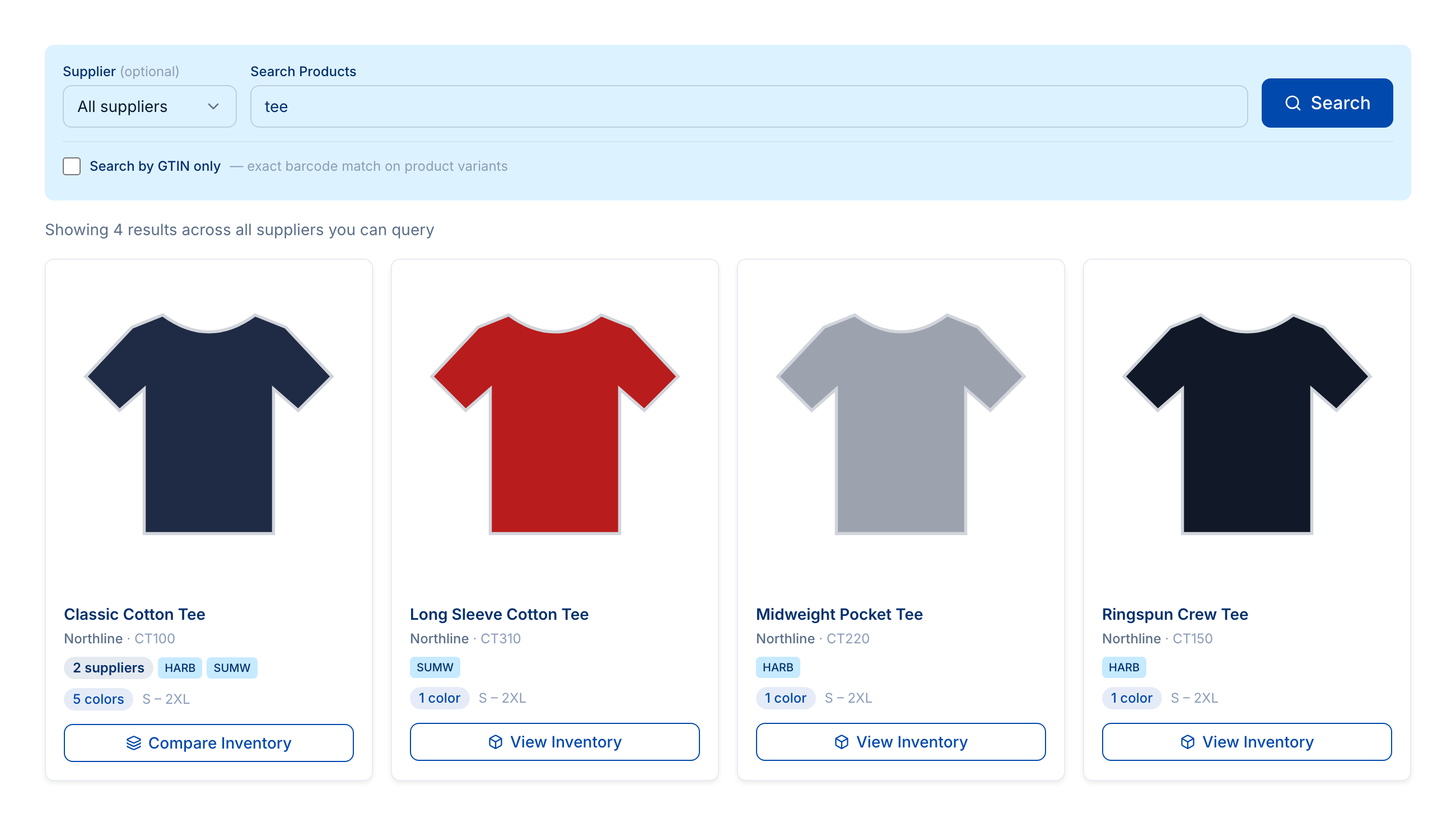
Steps 1 and 2: one search across every supplier you can query. Example with made-up data. Your screen shows your own account. -
3
Pick a color and see the full inventory grid
See stock for every size in every warehouse, with totals, whether it's in stock, and when the supplier last updated it.
Stock Check is available on the Standard plan and above.
View Plans