Find the product
across your suppliers
Search the products we import from PromoStandards suppliers by name, product ID, SKU or GTIN, by describing what you need, or with a picture. Then narrow by supplier, price, lead time and more, instead of browsing one supplier's catalog at a time.
Start Free Trial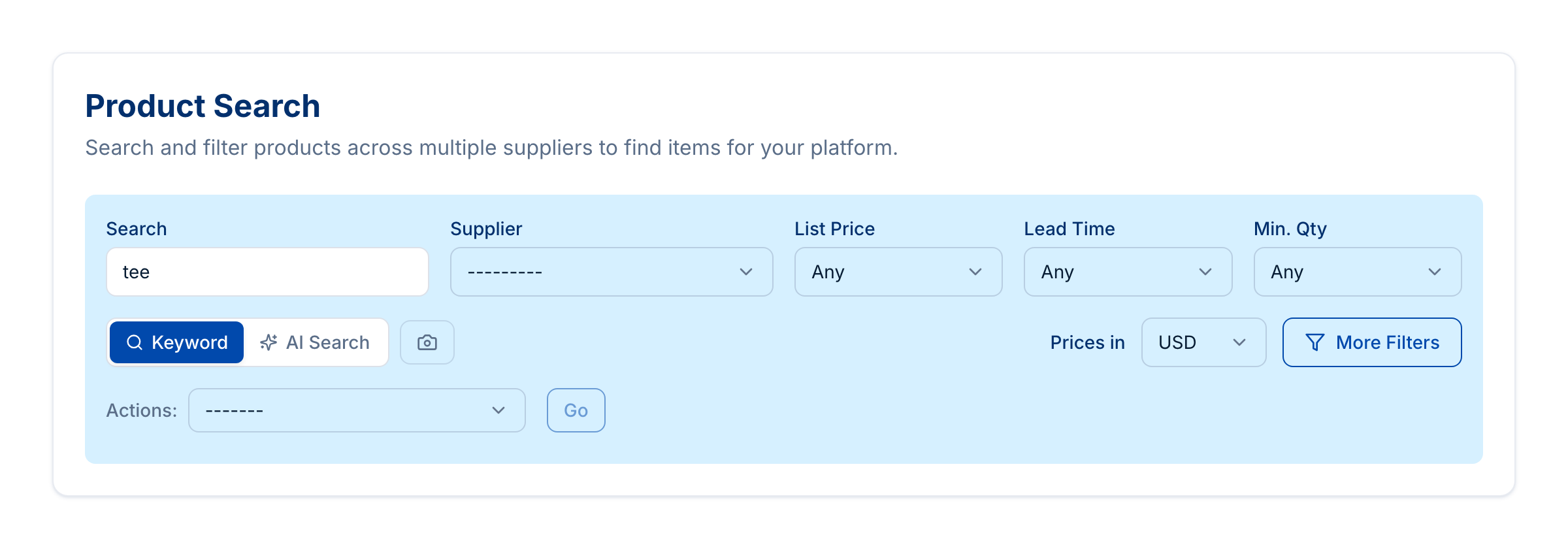
The problem
Finding the right promotional product shouldn't take hours.
Too many sites
Checking each supplier's website one at a time takes hours you could spend selling.
Every site is different
Each supplier lays out its products its own way, with its own field names, and some details are missing.
No filters across suppliers
You can't filter by price, lead time, or rush availability across multiple suppliers at once.
Search, filter, copy
Three steps to find exactly what your customer needs.
Search
Type a product name, product ID, SKU or GTIN. Results come from the products we've imported from the suppliers you can use.
Filter
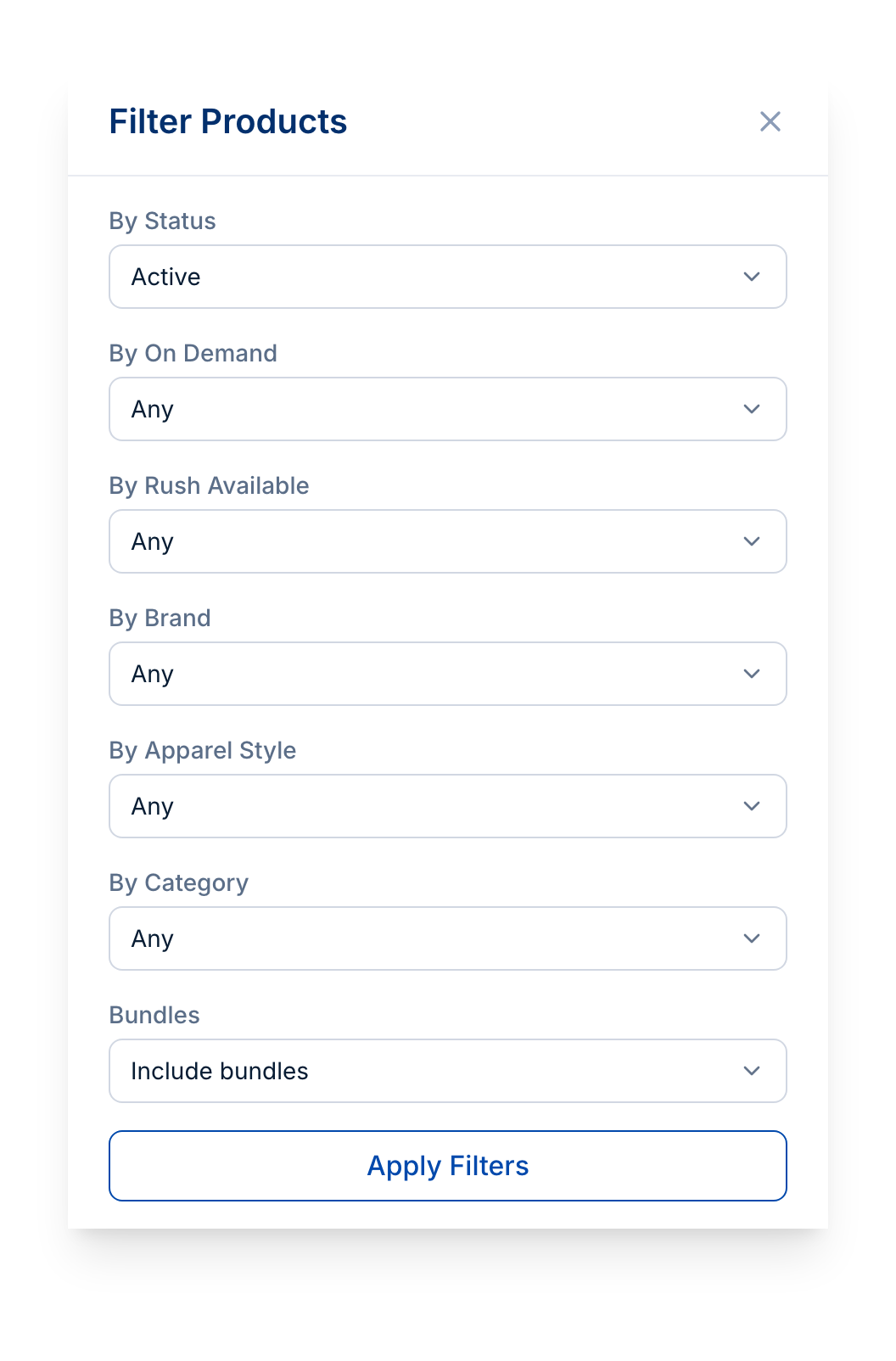
Narrow by supplier, list price, lead time and minimum quantity in the search bar; More Filters adds status, on demand, rush, brand, apparel style, category and bundles.
Act
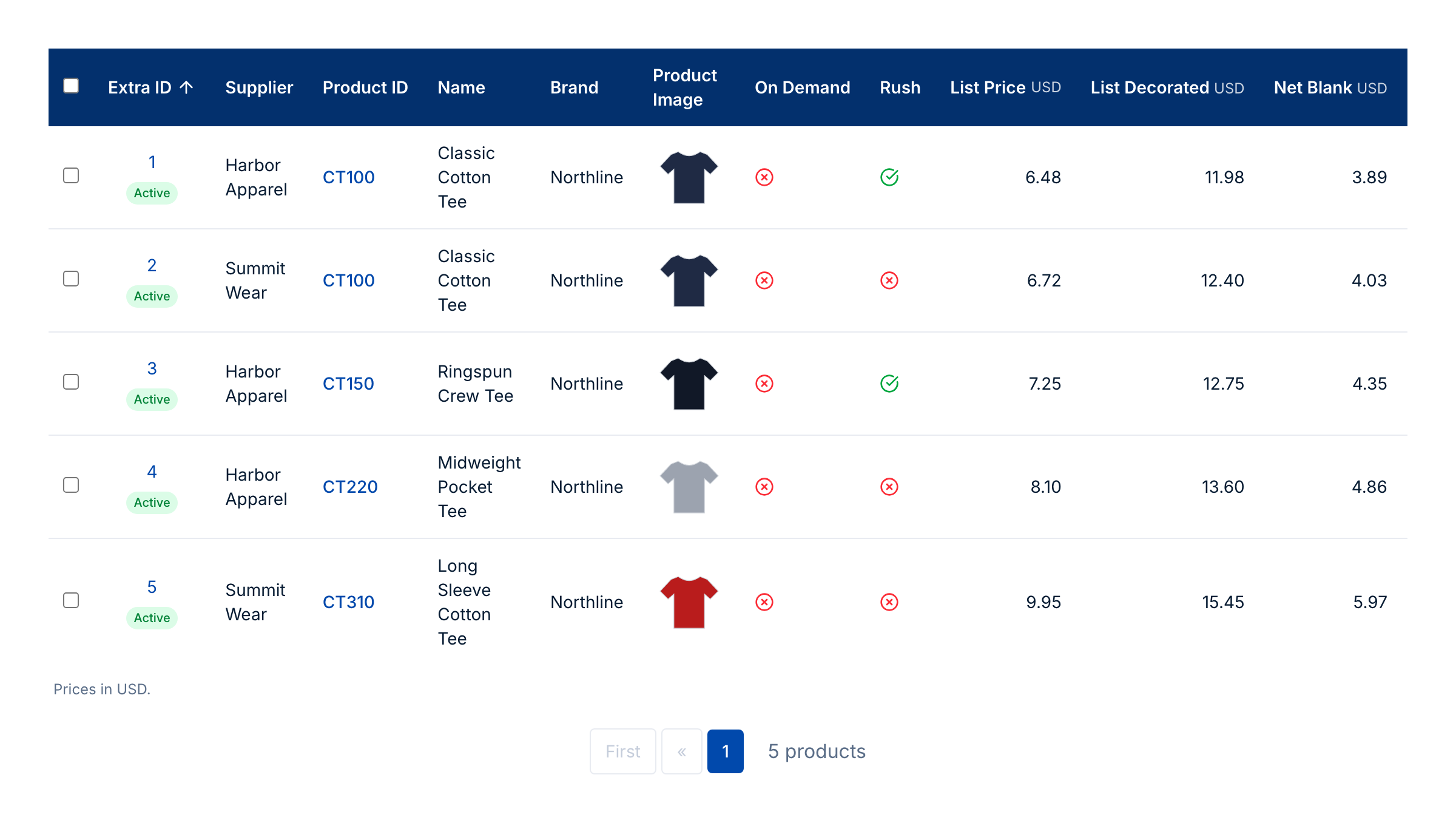
Preview product details, tick the products you want, and copy their IDs. Paste them into the CSV Exporter to build a file for your store.
Ways to search
Words in the product name, with Keyword selected
Direct lookup by supplier product ID
Find products by barcode or SKU
Describe what you need, like "eco-friendly giveaways under $5", and get the closest matches
Upload a picture or paste its URL to find products that look like it
Prices in shows every price in one currency, converted at a daily rate when the supplier prices in the other
Filters
Supplier, list price, lead time and minimum quantity sit in the search bar. The rest are under More Filters.
One supplier, or all the ones you can use
Select products from specific brands
Set min/max price to match your customer's budget
Filter by production time to meet deadlines
Match order size requirements
Show only products with rush shipping options
Unisex, Youth, Girls, Boys, Womens, Mens and their Tall sizes
Products the supplier marks as made on demand
Active products by default; narrow to one category, or include, exclude or show only bundles
At a glance
After you search
Open a product
Click the Extra ID for the product's page in our catalog, or the Product ID to open it in the Data Explorer in a new tab.
Select several
Pick a supplier, tick the products you want (Shift-click selects a range), and copy their Product IDs or Extra IDs to the clipboard.
Export the products you picked
Paste the copied Product IDs into the CSV Exporter to build a Shopify, Magento, or other file for just those products.
Refreshed from the suppliers
The catalog is imported from the suppliers' PromoStandards services and refreshed on a schedule, so a price can be a little behind the supplier's latest. Open the product in the Data Explorer for the supplier's current answer.
Search all your suppliers at once
Available on the Premium plan and above, and in the 14-day free trial.
Get Started with Premium